How to migrate one repo from plaintext dotenv files to SOPS + age
A practical one-repo migration path for moving plaintext dotenvs to SOPS + age now that AI-assisted vulnerability research and supply-chain secret theft make local plaintext secrets a worse default.

If you are landing here first: this is the practical migration guide for sops-encrypted-envs-mac, a small macOS toolkit for replacing plaintext local dotenv files with SOPS-encrypted files. It uses age for encryption, stores the private age identity in macOS Keychain, and gives you wrapper scripts so your app still receives normal environment variables at runtime.
The code is here: intertwine/sops-encrypted-envs-mac. Clone that repo before running the commands below.
The background is simple: local .env files used to feel like harmless developer clutter as long as they were gitignored. That assumption is aging badly. Frontier models are getting better at security analysis, coding agents now inspect and operate on real repos, and recent open source supply-chain attacks keep showing the same pattern: attackers want secrets from the places developers already automate.
The right way to respond is not "encrypt every repo tonight." Do one repo at a time, and end with one real command that proves the repo still works.
That is the flow I use here: inspect the repo, choose .env or .env.sops, encrypt the file, and validate with one smoke command that matters.
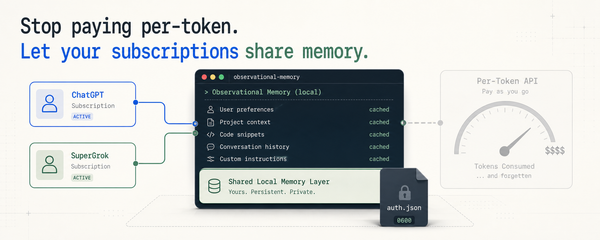
Quick orientation if the tools are new to you: SOPS encrypts the dotenv file, age provides the public/private key pair, and macOS Keychain stores the private age identity. The public age recipient can be committed. The private identity must stay out of git.
Why start with one repo
The reason to do this now is not that .env suddenly became sinful. It is that the environment around normal development changed, and the cheapest fix is easiest to apply before there is an incident.
Frontier models are getting materially better at security work. Mozilla's Claude Mythos write-up is not interesting because one browser team found bugs; it is interesting because it points at vulnerability discovery becoming cheaper and more automatable. OpenAI's GPT-5.5 system card makes the same direction obvious: advanced cyber evaluations and trusted-access controls are now part of the model launch story.
Meanwhile, open source supply-chain attacks are increasingly about stealing credentials from the places developers already automate. GitHub describes recent attacks that focus on secret exfiltration through package and CI/CD paths. Once you see that pattern, a repo full of old plaintext env files stops looking like harmless local clutter. It looks like low-friction fuel.
The response should still be boring. Pick one repo. Encrypt the env file. Fix the ignore rules. Prove the real command still works. Then repeat.
Setup (once)
brew install sops age
git clone https://github.com/intertwine/sops-encrypted-envs-mac
cd sops-encrypted-envs-mac
./scripts/setup-age-keychain
./scripts/install.sh
./scripts/validate-local
setup-age-keychain generates an age identity, stores the private part in macOS Keychain, and writes the public recipient to age-recipient.txt. The public recipient is what SOPS uses when it encrypts a file. The private identity is what SOPS needs later to decrypt it.
The first time something decrypts, macOS will usually show a Keychain dialog for /usr/bin/security. In a normal desktop session, click "Always Allow" if you do not want to see it during every test run.
Choose the filename first
- Keep
.envif the app reads fromprocess.envoros.environand does not auto-load.envfrom disk. - Use
.env.sopsif the framework or app reads.envat startup. Vite, Next.js, Rails withdotenv-rails, and Python projects usingload_dotenv()fall in this bucket.
If you guess wrong here, the rest of the migration gets messy. Pick the filename first.
Path A: keep .env
This is the simpler path. It works well for Python test runners, Go services, and CLI tools that already expect env vars from the shell.
1. Audit
./scripts/audit-envs ~/code/your-repo
Output groups files by status:
Plaintext (needs migration):
  /Users/you/code/your-repo/.env
  /Users/you/code/your-repo/.env.local

Summary: plaintext=2 encrypted=0 unknown=0
If a file shows up that you did not expect, deal with it before you encrypt anything. The audit script skips *.example, *.sample, *.template, and *.dist, so anything it reports is probably worth looking at.
2. Encrypt
./scripts/encrypt-env ~/code/your-repo .env
This creates .sops.yaml with a narrow path_regex for .env and rewrites .env in place as ciphertext.
.sops.yaml is the rule file. It tells SOPS which files should be encrypted and which age recipient to use. The recipient is public, so this config is meant to be committed.
Open the encrypted .env. Each secret value should look like:
API_TOKEN=ENC[AES256_GCM,data:...,iv:...,tag:...,type:str]
There will also be SOPS metadata at the bottom. If you still see plaintext, stop and check the recipient setup.
3. Un-ignore the encrypted file
This is the part people miss. Most repos ignore .env* wholesale. The encrypted file is meant to be committed, so .gitignore has to allow it:
# before
.env
.env.*

# after
.env.local
.env.development
.env.test
The exact lines depend on the repo. The important part is simple: stop ignoring the encrypted .env, keep ignoring plaintext fallback files such as .env.local.
4. Validate with a real command
./scripts/validate-repo ~/code/your-repo .env -- uv run pytest
This decrypts through Keychain, checks that the file is not ignored, runs a basic secret-prefix scan on the rest of the tree, and then runs your test suite with the decrypted values in process env. Success looks like:
[your test output]
Repo SOPS validation passed: /Users/you/code/your-repo/.env
That last line is the part that matters. "SOPS can decrypt the file" is necessary, but it is not enough. What you want to know is whether the app still works.
Path B: use .env.sops
Use this when the framework auto-loads .env from disk. If you encrypt .env in place, the dotenv loader will try to parse ciphertext as KEY=VALUE lines and the app will break.
The fix is to rename the file to .env.sops so the loader ignores it, then wrap the actual command boundary with SOPS. The wrapper decrypts the values into process env before Vite, Next, Rails, Python, or whatever else starts.
mv ~/code/your-repo/.env ~/code/your-repo/.env.sops
./scripts/encrypt-env ~/code/your-repo .env.sops

mkdir -p ~/code/your-repo/scripts
cp templates/sops-env ~/code/your-repo/scripts/sops-env
cp templates/read-age-key-from-keychain ~/code/your-repo/scripts/read-age-key-from-keychain
chmod +x ~/code/your-repo/scripts/sops-env ~/code/your-repo/scripts/read-age-key-from-keychain
Update package.json so SOPS sits at the outer boundary and the raw scripts stay unwrapped:
{
  "scripts": {
    "dev":       "scripts/sops-env .env.sops -- npm run dev:raw",
    "dev:raw":   "vite",
    "test":      "scripts/sops-env .env.sops -- npm run test:raw",
    "test:raw":  "vitest run",
    "build":     "scripts/sops-env .env.sops -- npm run build:raw",
    "build:raw": "vite build"
  }
}
The :raw split prevents recursion. Without it, npm run test calls sops-env, which calls npm run test, which calls sops-env again.
Update .gitignore:
# before
.env
.env.*

# after
.env
.env.*
!.env.sops
Validate the raw command, not the public one:
./scripts/validate-repo ~/code/your-repo .env.sops -- npm run test:raw
If you validate npm run test, you double-wrap the command. That can still pass, but it is not proving the real path is correct.
Using the agent skill
The skill installed by ./scripts/install.sh teaches Claude and Codex the rules above. That lets you hand a repo to the agent with a short prompt like:
Migrate this repo from plaintext dotenv files to SOPS + age. Prefer.env.sopsif the framework auto-loads.env. Validate withnpm run test:raw.
The skill covers the rest. The agent inspects the repo first, picks .env or .env.sops based on what the framework does, copies the wrapper templates if needed, encrypts the file, fixes .gitignore, and runs validate-repo with the smoke command you gave it.
The one thing the agent cannot guess reliably is which command actually proves the repo works. Tell it. That is why every example in this repo ends with -- some-command.
After the migration
You do not run validate-repo every day. It is a migration check.
After that:
- if you kept
.env, run the real command throughsops exec-env .env 'your command'or hide that inside a Make target - if you moved to
.env.sops, keep usingnpm run dev,npm run test, ormake testafter those public commands are wired to the wrapper
Common failure modes
- The encrypted file is still gitignored. The validator catches this before it runs your tests.
- You validated the wrapped command instead of the raw one. If you see
sops-envtwice in the output, you double-wrapped. load_dotenv()is still in the code after switching to.env.sops. The app keeps looking for.envand your tests fail in confusing ways.- Keychain prompts on every command. Approve one decrypt from a normal GUI session and click "Always Allow."
What's next
Get the repo here: github.com/intertwine/sops-encrypted-envs-mac. The README is the source of truth for installation, and this article is the one-repo migration path.
What local encrypted dotenvs protect, and when to move up covers what this workflow does not try to solve, and when you should move to a real secret manager. If you migrate a repo and something does not fit cleanly, open an issue. That feedback is how the toolkit and the agent skill get better.