What local encrypted dotenvs protect, and when to move up
A plain threat model for local encrypted dotenvs in the age of stronger AI security models and active supply-chain secret theft: what improves, what does not, and when to move up.
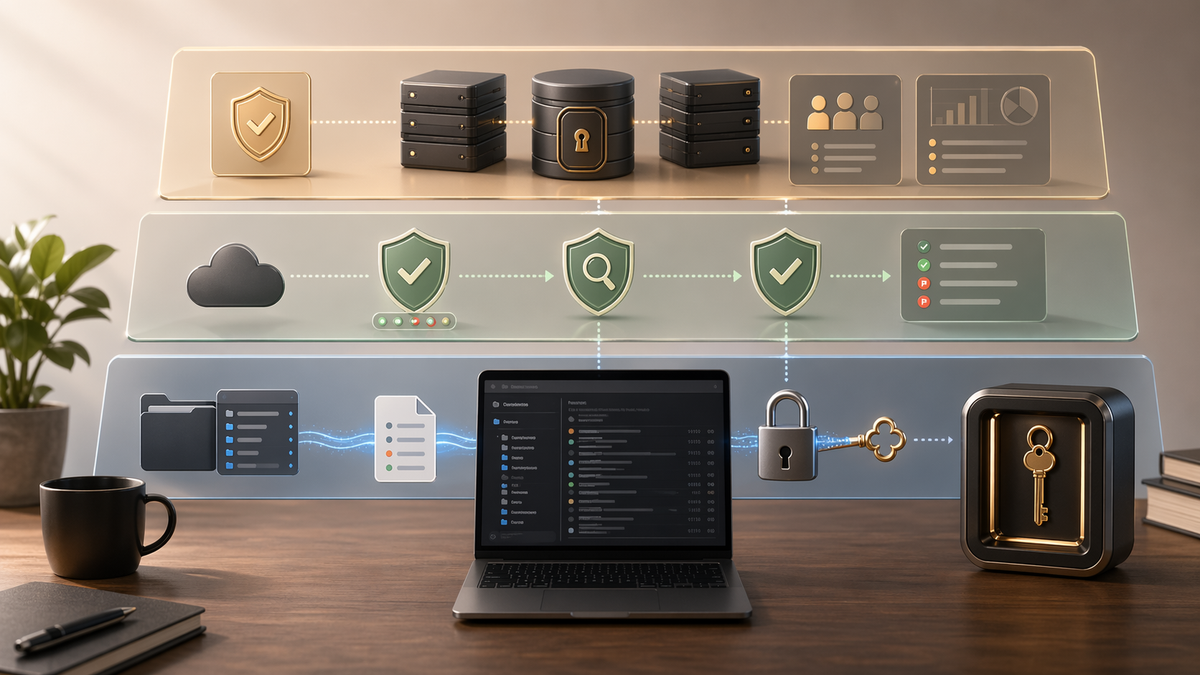
If you are landing here first: sops-encrypted-envs-mac is a small macOS toolkit for replacing plaintext local dotenv files with SOPS-encrypted files. It uses age for encryption, stores the private age identity in macOS Keychain, and decrypts secrets into a command's environment only when that command starts.
The pattern is intentionally narrow: commit encrypted dotenv files and .sops.yaml, keep the private identity out of the repo, and run the app through a wrapper when it needs those values. The app still receives ordinary environment variables. The repo, editor, backup system, search tools, and coding agents see ciphertext instead of secrets.
The easiest way to oversell a security tool is to describe what it improves and quietly imply that it solved everything. I do not want to do that here. This workflow helps with plaintext-on-disk risk, repo scans, accidental commits, and the very normal reality that many developers have too many old .env files lying around for too long.
It does not magically protect a compromised workstation. It does not fix secrets already committed to git history. It does not replace a real team secret manager. That boundary matters, so this article is the threat model and boundary; the repo README and migration guide are where to go when you want to try it.
Why the boundary matters now
The security backdrop is getting sharper from two directions at once.
First, frontier models are becoming more capable vulnerability-finding systems. Mozilla's post on Claude Mythos Preview says the model helped find and fix 271 Firefox security issues. OpenAI's GPT-5.5 system card treats advanced cybersecurity as a major deployment-safety domain, with targeted red-teaming and controlled access paths for more permissive defensive use.
Second, real attackers are still winning through the boring path: steal the secrets that fall out of developer automation. GitHub's open source supply-chain guidance describes recent attacks that focus on exfiltrating credentials from package publishing and CI/CD workflows.
Those two facts make local plaintext hygiene more important, but they do not make a local dotenv wrapper more powerful than it is. This workflow narrows one exposure surface. It does not make your laptop, CI, dependency graph, or production runtime trustworthy by itself.
The key model
This workflow uses age through SOPS. That means there is a public recipient and a private identity.
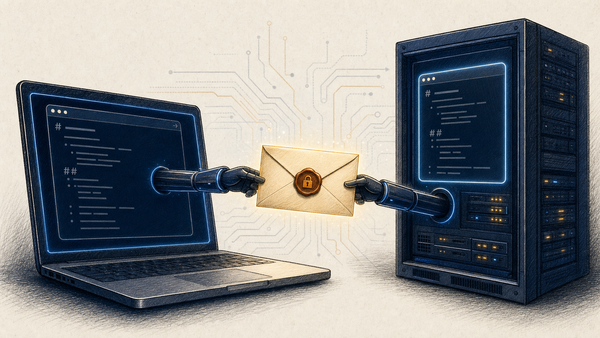
The public recipient is safe to commit. It only lets someone encrypt data for you. The private identity is the part that decrypts. sops-encrypted-envs-mac stores that private identity in macOS Keychain and teaches SOPS how to read it when a command starts.
That is useful, but it is not magic. Keychain reduces the chance that a private age identity sits around as a plaintext file. It does not stop code already running as your macOS user from asking Keychain for the same identity.
What this helps with
- Plaintext
.envfiles sitting on disk for years. The migration replaces them with ciphertext. The private age identity lives in Keychain, not in any file. - Casual repo scans surfacing secrets.
rg API_KEY ~/codeno longer hits plaintext values. - Coding agents reading secrets during repo inspection. An agent can still ask the wrapper to decrypt and run a command, but the literal value isn't visible during a repo-wide scan. That matters more as agents get better at traversing code, running tools, and connecting security-relevant context.
- A compromised dependency looking for easy local files. This does not stop malicious code that already runs as you, but it does remove the easiest version of the target: a readable dotenv file sitting in the repo tree.
- Accidental commits. There's no plaintext file to accidentally
git addonce the migration is done. - Backup sweep. Time Machine, iCloud, Dropbox, and similar sync tools back up the ciphertext now, not the secrets.
- Onboarding friction for fresh clones. New machines don't need a copied
.envfrom someone else's laptop. The repo plus a Keychain identity is enough.
What this does not solve
- Malware running as your user. Anything with shell access as you can ask Keychain for the private age identity the same way
sopsdoes. There is no defense here against a compromised user account. - Secrets leaking into logs, crash dumps, or shell history. Once a value is in process env, where it ends up is the application's problem.
set -xin a wrapper script will print everything; an unhandled exception withos.environin the traceback will too. - Plaintext that already lived in git history. Encrypting today doesn't remove yesterday's exposure. If
.envwas ever committed, rotate the underlying secrets and then encrypt. - Team-wide sharing or revocation. This is single-user tooling. There's no "remove person X's access" command. Per-person recipients are possible (
.sops.yamlaccepts a list), but adding and removing people is manual and you have to coordinate rotation yourself. - CI decryption. The Keychain helper is macOS-only. CI needs a separate path, usually
SOPS_AGE_KEYinjected as a secret. docs/security.md has a minimal GitHub Actions example. - Production secret delivery. This is a developer-laptop pattern. It's not what you want serving a multi-instance backend in production.
When to move up
Here are the main signals:
- More than one person needs the same secrets. Single-user tooling stops being the right shape the moment a teammate joins. Move to Vault, Infisical, Doppler, or 1Password Teams. The right answer depends mostly on the rest of your stack.
- You need rotation as a routine event. This toolkit ships a recipient-rotation note, but rotating dozens of repos manually is a job. A real secret manager makes rotation a button.
- You need an audit log. Keychain doesn't tell you who accessed what when. A managed secret store does.
- You need dynamic credentials. Per-request credentials, expiring tokens, lease renewal: that's Vault's actual job.
- You're shipping to production. Cloud-native delivery (AWS Secrets Manager, GCP Secret Manager, Azure Key Vault) is what you want for service-to-service secret flow.
The rule I use: if the secret has to survive past the developer's laptop, this isn't the right tool for that secret.
The sweet spot
Local developer repos on macOS, especially if you let coding agents inspect them often and your current default is still "gitignored plaintext files everywhere." For that case, this workflow is a meaningful step up. It lowers the exposure surface without adding much operational weight.
I think of it as a better floor, not a full ceiling. That is exactly why I think it is useful.
What to add around it
- Turn on GitHub push protection and secret scanning.
- Rotate any secret that ever lived in git history as plaintext.
- Keep local shell history, crash logs, and debug output out of places where secrets can leak.
- For team sharing, rotation, or audit trails, move to Vault, Infisical, Doppler, 1Password Teams, or a cloud secret manager.
- For production, use the secret system your platform already supports.
Where to start
Start with the repo: github.com/intertwine/sops-encrypted-envs-mac.
If you have not tried the toolkit yet, Why I built a local encrypted dotenv workflow for macOS covers the motivation, How to migrate one repo from plaintext dotenv files to SOPS + age walks through one migration, and the README is the source of truth for the toolkit itself.
If you try it and hit something rough, open an issue. The boundary above is what I think it is today. The only way it stays honest is if people tell me when it does not match reality.