Why I built a local encrypted dotenv workflow for macOS
Stronger AI security models and recent supply-chain attacks make plaintext local env files feel like the wrong default. This is a small macOS workflow for encrypted dotenvs with SOPS, age, and Keychain.

Most local secret hygiene advice jumps from "don't commit .env" to "set up Vault." That leaves a big gap in the middle. A lot of us have dozens of repos on our laptops with plaintext dotenv files sitting on disk. They are gitignored, but they are still easy to read from backups, editor indexes, shell tools, and coding agents doing repo-wide inspection.
This repo is my answer to that middle. Keep the private age identity outside the repo, store it in macOS Keychain, commit only encrypted dotenv files plus .sops.yaml, and decrypt into process environment at command start with SOPS. That does not turn local development into a zero-trust system. It does remove a lot of quiet risk from the normal "too many repos on my laptop" setup.
The code is here: intertwine/sops-encrypted-envs-mac. If you just want to try it, start with the README; this article is the motivation for why I think the workflow is worth doing.
Why this matters now
The old bargain around local secrets was mostly convenience versus discipline. Keep .env out of git, hope it stays on your laptop, rotate when something obviously leaks. That bargain feels worse in 2026.
On one side, frontier models are becoming useful vulnerability researchers. Mozilla says an early Claude Mythos Preview pass helped find and fix 271 Firefox security issues. OpenAI's GPT-5.5 system card describes targeted red-teaming for advanced cybersecurity and an expanded trusted-access path for defensive cyber work. I want those tools in defenders' hands. I also do not want to pretend the attacker economics stay the same when software reconnaissance gets cheaper.
On the other side, the boring supply-chain attacks are not going away. GitHub's recent write-up on securing the open source supply chain says recent attacks are focused on exfiltrating secrets through package publishing and CI/CD paths. A compromised dependency, build script, or agent tool does not need to be clever if the thing it wants is sitting in plaintext.
That is the frame for this project. Not panic. Not "one script fixes security." Just a better local default: secrets can still reach the process that needs them, but they do not have to sit around as readable repo files for every search tool, backup system, editor index, and coding agent to trip over.
SOPS and age in plain English
If you have not used SOPS before, the name can make this sound more specialized than it is.
SOPS is a tool for encrypting config files. You can point it at a .env, YAML, JSON, or other config file, and it rewrites the secret values as ciphertext while keeping the file shape usable. It also stores metadata in the file so it knows which key can decrypt it later.
age is the encryption key format this repo uses with SOPS. An age setup has two parts:
- a public recipient, which looks like
age1...and can safely live in the repo - a private identity, which looks like
AGE-SECRET-KEY-...and must stay secret
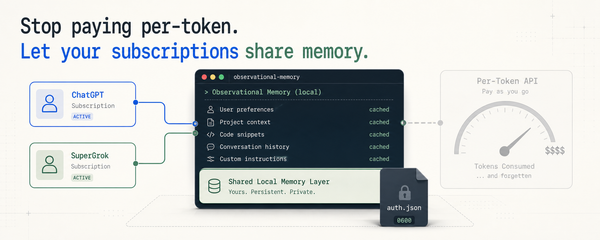
That is the whole model. SOPS handles the file. age handles the key pair. macOS Keychain stores the private identity so it does not sit in another plaintext file on disk.
When you run a wrapped command, SOPS asks Keychain for the private identity, decrypts the dotenv values, starts the child process with those values in its environment, and then exits. The app still sees normal env vars. The repo sees ciphertext.
What's on disk today
Run this in your code directory and look at the count:
find ~/code -type f \( -name '.env' -o -name '.env.*' \) | wc -l
For me it was 47. Most were old. Some had API keys for services I had not touched in over a year. A few had database URLs that still worked.
That is the surface area I wanted to shrink. The apps still need secrets. I just do not want long-lived plaintext files sitting around for years.
Why SOPS + age
I tried a few options before landing here:
- HashiCorp Vault. Good for teams. For one developer with thirty repos, it is more system than I want to run.
- 1Password CLI. Good for storage. The rough part is the last mile between "secret in 1Password" and "env vars ready when the process starts." Every project ends up with its own
op runglue. - dotenvx. This was the closest fit. The encryption model is solid. I still wanted something with wider ecosystem reach, and SOPS is already common in production tooling.
- Sealed Secrets. Kubernetes-shaped. Wrong abstraction for laptop work.
SOPS plus age plus the macOS Keychain fits the shape I wanted. The file in the repo is ciphertext. The private identity lives in Keychain, not in another dotfile. A wrapper script runs sops exec-env, which decrypts into the child process environment and exits when the child exits. No long-lived plaintext file. No team secret server. No new config model for the app, because the app still reads os.environ or process.env.
Why the agent angle matters
Coding agents are part of why I cared about this. I let Claude and Codex inspect real repos all the time. If .env is plaintext, a simple rg API_KEY can pull real values into the context window before the agent has even decided what to do. Agents are usually careful. I still do not want plaintext secrets to be the default in a world where the same class of tools can inspect code, reason across a repo, run commands, and explain exploit paths.
Encrypted dotenv files do not make secrets unreadable to the running app. They do keep them out of casual repo scans. For an agent-heavy workflow, that is a meaningful improvement.
What this is not
- It is not a team secret manager. There is no sharing workflow, rotation API, or audit trail. If you need those, move to Vault, Infisical, Doppler, 1Password Teams, or your cloud secret manager.
- It is not a defense against malware already running as your user. If something has shell access as you, it can ask Keychain for the same private identity
sopsuses. - It is macOS-only right now. The helper is built around the
securityCLI.
That narrower scope is on purpose. This is a better local default for a common problem, not a claim that one small toolkit solved secret management.
What is in the repo
scripts/setup-age-keychain generates an age identity and stores the private part in Keychain. scripts/encrypt-env encrypts a dotenv file in place and creates a .sops.yaml if one is missing. scripts/validate-repo runs the actual smoke command through the wrapper so you can prove the migration didn't break the project.
There is also an agent skill that teaches Claude and Codex the migration rules: when to keep .env, when to switch to .env.sops, how to wrap commands without recursing, and what counts as a real validation. How to migrate one repo from plaintext dotenv files to SOPS + age walks through that flow on a single repo.
Next
- Get the repo: github.com/intertwine/sops-encrypted-envs-mac.
- How to migrate one repo from plaintext dotenv files to SOPS + age. The actual commands, the
.envversus.env.sopschoice, and the mistakes I keep seeing. - What local encrypted dotenvs protect, and when to move up. The boundary, the threat model, and when it is time to move to something bigger.
If you try the toolkit and something breaks, open an issue. The whole point is to make this pattern boring and repeatable. That only happens if people report the rough edges.