How to install and use dspy-agent-skills
Fifteen seconds to install. Five minutes to smoke-test. Twenty to forty minutes for a real GEPA run. Works in Claude Code, Codex CLI, and anything else that respects the Agent Skills spec.
Fifteen seconds to install. Five minutes to smoke-test. Twenty to forty minutes for a real GEPA run. Works in Claude Code, Codex CLI, and anything else that respects the Agent Skills spec.
Prerequisites
You need exactly one of:
- Claude Code with the plugin system enabled (any recent version).
- Codex CLI with Agent Skills support.
For running the bundled examples, also install Python 3.10+ and uv (I use uv run --with dspy ... throughout so you never have to manage a venv).
Nothing to install for the skills themselves. They're Markdown files your agent loads automatically once they're in the right directory.
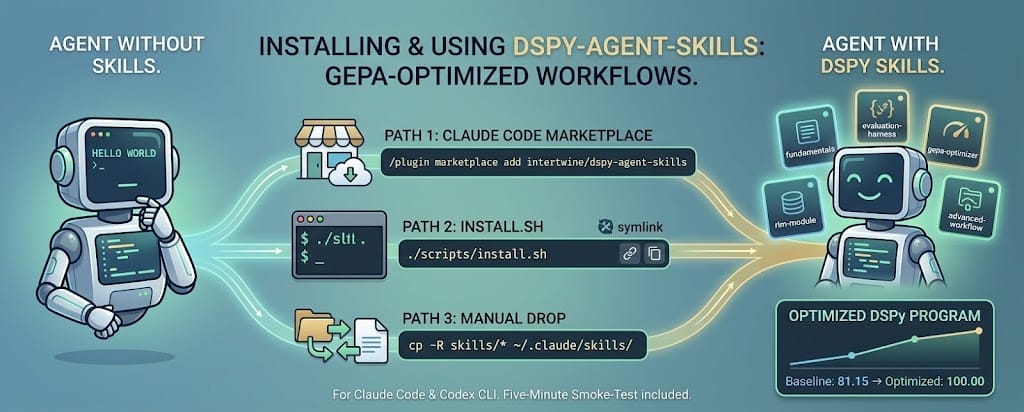
Install - three paths
Path 1: Claude Code plugin marketplace
Inside Claude Code:
/plugin marketplace add intertwine/dspy-agent-skills
/plugin install dspy-agent-skills@dspy-agent-skills
Claude Code fetches the repo, caches it under ~/.claude/plugins/cache/, and wires the skills into the current project. The plugin manifest at .claude-plugin/plugin.json tells Claude Code what's inside. You can /plugin update dspy-agent-skills later to pull new versions.
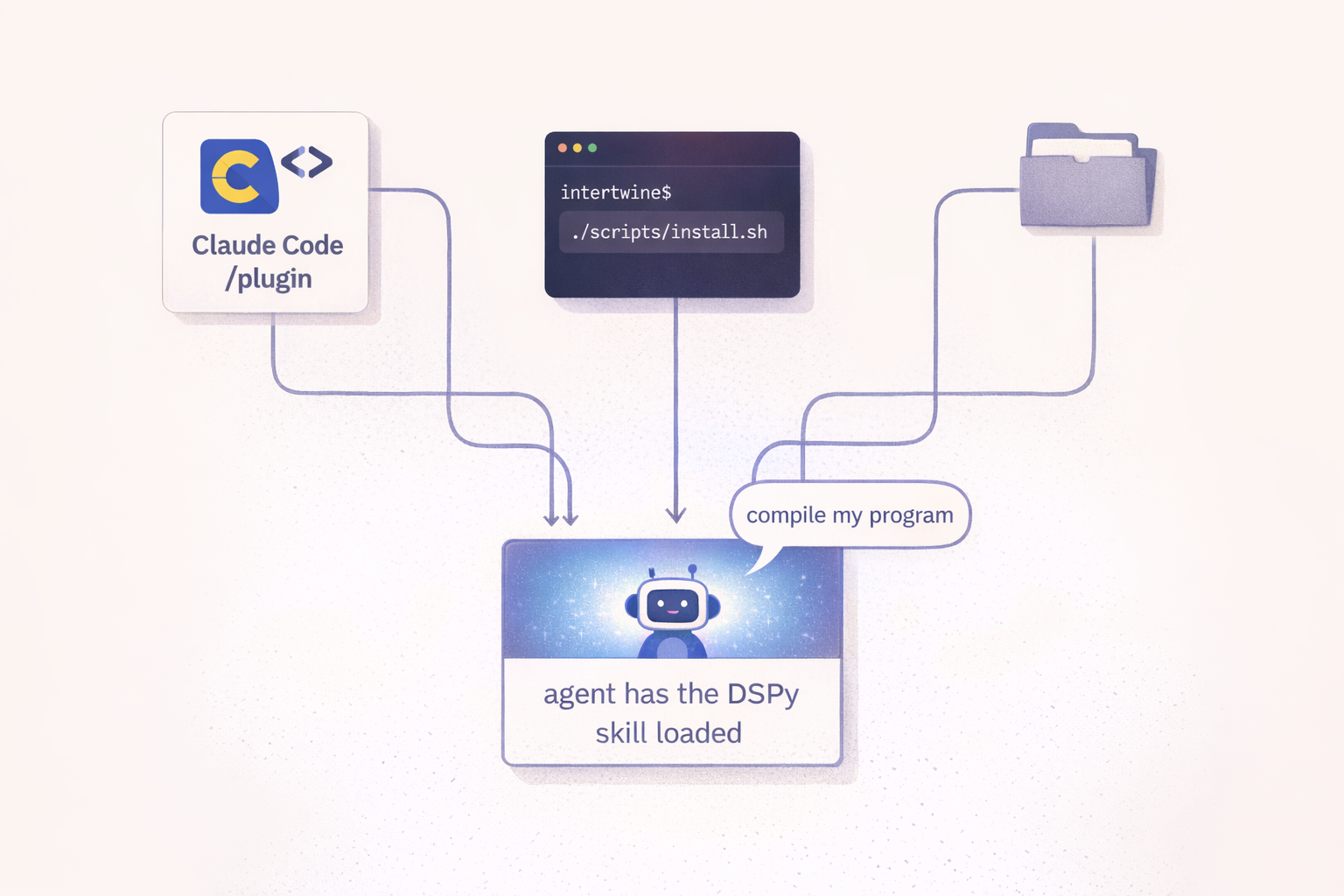
Path 2: install.sh - both Claude Code and Codex CLI at once
If you use both harnesses (or just want the source on disk to hack on):
git clone https://github.com/intertwine/dspy-agent-skills
cd dspy-agent-skills
./scripts/install.sh
That symlinks skills/* into ~/.claude/skills/ (Claude Code) and ~/.agents/skills/ (Codex CLI). Symlink mode means edits in the repo propagate live, which is useful if you're experimenting. Flags:
--copyto copy instead of symlink.--claude-only/--codex-onlyto target one harness.--uninstallto reverse the install.--dry-runto see what would happen.
Path 3: Manual drop
cp -R skills/* ~/.claude/skills/   # Claude Code
cp -R skills/* ~/.agents/skills/   # Codex CLI
Both harnesses auto-discover any directory containing a SKILL.md and register it on the next session.
Verifying the install
# Claude Code
ls ~/.claude/skills/ | grep dspy-

# Codex CLI
ls ~/.agents/skills/ | grep dspy-
You should see five directories: dspy-fundamentals, dspy-evaluation-harness, dspy-gepa-optimizer, dspy-rlm-module, dspy-advanced-workflow.
The real test is invocation. In a fresh agent session, say:
"Build a DSPy sentiment classifier, optimize it with GEPA, and save the artifact."
If the agent pulls in dspy-advanced-workflow automatically and chains the other skills into a seven-step pipeline (Signature, Module, rich-feedback metric, baseline, GEPA compile, optimized eval, save), the install worked. Watch for the agent referencing skill names out loud as it works; that's the progressive-disclosure mechanism doing its job.
Explicit invocation, when you need it
Auto-invocation is usually right, but sometimes you want to force a specific skill. The syntax differs:
- Claude Code:
/dspy-gepa-optimizer(slash command) - Codex CLI:
$dspy-gepa-optimizer(dollar prefix)
Useful when you're debugging a specific stage of the workflow and want the agent's attention focused.
The config surface
The skills themselves have no config. They're knowledge, not services. But the example scripts read environment variables from .env at the repo root so you can swap models without editing code:
# .env (also see .env.example)
OPENROUTER_API_KEY=sk-or-v1-...

# Optional overrides
DSPY_TASK_MODEL=openrouter/liquid/lfm-2.5-1.2b-instruct:free
DSPY_REFLECTION_MODEL=openrouter/nvidia/nemotron-3-super-120b-a12b:free
DSPY_CACHEDIR=.cache/dspy
Defaults are free-tier OpenRouter models. No credit card required; the main constraints are 20 requests/minute and 2000/day, and free-tier providers occasionally rate-limit or adjust behind the endpoint. I document paid fallbacks in each example's README in case you hit the daily cap or want deterministic-ish behavior.
A five-minute first session
If I had to show a new user exactly what to try first, this is what I'd hand them:
# 1. Clone and install
git clone https://github.com/intertwine/dspy-agent-skills
cd dspy-agent-skills
cp .env.example .env        # edit to add OPENROUTER_API_KEY
./scripts/install.sh

# 2. Offline smoke test (no API calls)
uv run --with pytest python -m pytest tests/ -q
for f in skills/*/example_*.py; do uv run --with dspy python "$f" --dry-run; done

# 3. Live run of the smallest example
uv run --with dspy --with python-dotenv --with rank-bm25 \
  python examples/01-rag-qa/run.py --optimize --auto light --seed 0
Step 2 verifies your local environment works without burning a single token. Step 3 runs GEPA on a real task (RAG QA with citations) and takes about 20 minutes on the free tier. You'll see the baseline score (mine was 81.15), then GEPA proposing and accepting mutations, then the optimized score (mine was 100.00). The resulting optimized_program.json is portable. You can load it in a separate Python script and score it against fresh data.
From there, go talk to your agent. Ask it to build something of your own.
Troubleshooting the common first-session snags
429s on OpenRouter. The free tier is 20 requests/minute. The example run.py scripts set num_threads=1 and num_retries=12 to stay polite; if you still see sustained failures, the daily cap (2000) has kicked in. Either wait for reset or switch to a paid fallback. I recommend openrouter/mistralai/ministral-3b-2512 at $0.10/M tokens.
"reflection_lm cannot be None". GEPA's constructor asserts this at init, not at .compile() time. Fix: pass a dspy.LM(...). Construction doesn't hit the network, so a stub is fine for dry-runs.
The RLM example complains about Deno. DSPy's default PythonInterpreter for RLM spawns Deno to run a Pyodide WASM sandbox. brew install deno (or the equivalent for your OS). The skill's reference.md has the full install link.
Skill doesn't auto-invoke. Check that the skill's description field matches the language you use naturally in prompts. Agent Skills auto-discovery is description-keyword driven; you don't need exact matches, but the phrasing should overlap with how a user would describe the task.
What to read next
Inside the examples dissects the three end-to-end examples and explains how I pushed a 1.2B-parameter model to a +25-point improvement on word-problem math without touching a weight.